Installing the best universal HUD in your car should improve awareness, not create another distraction. This guide explains how to install a universal heads up display in my car with practical, safety-focused steps. You will learn how to choose a clear mounting position, connect power responsibly, and adjust the projection for comfortable viewing.
Dr. Paul Green, a respected automotive human-factors researcher, explains: “The display should be easy to see, easy to understand, and easy to ignore when necessary.” That principle matters during every installation. A bright dashboard reflection, loose cable, or poorly aligned image can make the system frustrating. Small details matter.
Start with the vehicle manual, the HUD instructions, and the available power connection. Avoid blocking airbags, vents, switches, or the driver’s forward view. A clean windshield helps, but the projected image may still look doubled in strong sunlight. Some cars also produce inaccurate speed data through generic OBD connections. Check it against the factory speedometer.
Keep the cable tidy. Test the unit while parked. Then drive only when the image remains stable and readable without head movement. It may take several adjustments. That is normal.
This guide also recognizes an uncomfortable truth: the “best” HUD is not always the most advanced model. A simpler unit with reliable data, low glare, and easy controls may be safer. Installation quality matters as much as the device itself. When in doubt, pause, review the wiring, and ask a qualified automotive technician to inspect the setup.
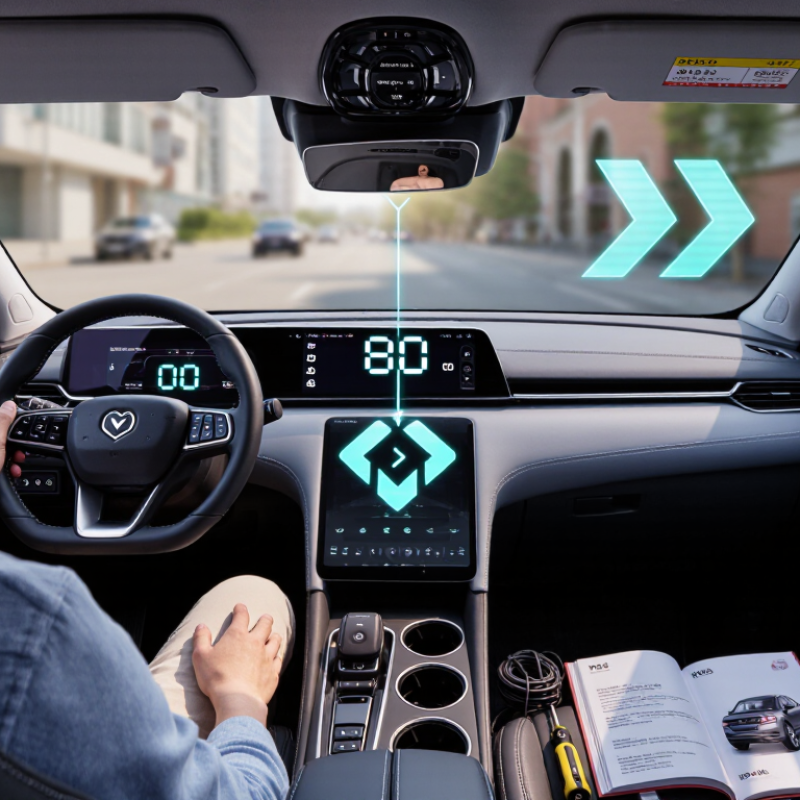
How to Install the Best Universal HUD in Your Car 2026
A universal head-up display may read vehicle data through the OBD-II port or estimate speed using GPS. Some units project figures onto the windshield; others show them on a small screen. The display style is only part of the choice. OBD-II models can show details such as engine speed, but available data varies by vehicle. GPS models are less dependent on vehicle diagnostics, though signal conditions can affect readings. It is easy to assume that “universal” means every function works in every car. It does not.
Before buying, locate the 16-pin OBD-II connector, standardized as SAE J1962. It is usually beneath the dashboard, near the steering column, but its position can vary. Check that the socket has a trapezoidal outline and inspect it for damage or obstruction. Do not force the plug. A matching connector does not guarantee full compatibility: vehicles may use different communication protocols or expose different data. Check the HUD’s compatibility details against your vehicle’s year and model, then test basic readings while parked.
Tips: Take a flashlight and count the connector’s pin cavities; do not poke inside with metal tools. Route the cable away from pedals and steering components. Set the display low enough to keep the road clearly visible. If readings seem wrong, verify them against the vehicle’s instruments before relying on them. A little caution is worthwhile, even when the installation looks simple.
Identify HUD types and check the 16-pin SAE J1962 OBD-II connector.
The SAE J1962 connector has 16 positions: 3 for power and grounds (pins 4, 5, and 16), 6 assigned to protocol connections (pins 2, 6, 7, 10, 14, and 15), and 7 manufacturer-discretionary positions. A connector’s presence does not guarantee that every HUD feature will work; check your vehicle’s protocol and the HUD’s compatibility before installation. OBD-II HUDs read vehicle data through the connector, while GPS-based HUDs determine driving information using satellite signals.
ISO 15008:2017 provides criteria for assessing visual information in road vehicles, including legibility, contrast, and reflections. It does not prescribe one universal HUD mounting point. Treat it as a useful reference, then assess the display from your normal driving posture. Park the car safely, adjust the seat, and look straight ahead. The information should be readable with a brief glance, not a lowered head or a major shift in focus.
Place the projected image low enough to avoid hiding traffic, signs, or the instrument panel. Check it against both bright daylight and a dim cabin. Text should remain distinct, with enough contrast to separate it from the road scene. Reflections matter. A pale dashboard can bounce light onto the windshield, making the display appear doubled or washed out. Move the projector slightly and test again. Small changes can help.
There is no perfect position for every driver. That part takes patience. Recheck the view after another person adjusts the seat, and confirm that the image stays stable over ordinary bumps. Avoid judging placement from a photo; camera exposure can misrepresent brightness and clarity. For formal verification, consult the complete ISO standard and the HUD’s installation instructions. The goal is a clear, restrained display that supports attention on the road, rather than competing with it.
A clear dashboard gives reflective film a smoother surface and helps the projected display look crisp. Park the car in a shaded, well-ventilated place, then let the dashboard cool. Dust often hides near vents and seams, so wipe those areas with a clean microfiber cloth. Use a cleaner suitable for your dashboard material, applied to the cloth rather than sprayed near electronics. Remove any residue with a dry section of cloth. The surface must be completely dry before installation.
Check the film’s size and intended position before peeling its backing. Sit in your normal driving position and confirm that the chosen spot aligns with the HUD image without blocking your view. Peel back only a small section at first. Lay the film down gradually, smoothing from the center toward the edges with a soft card wrapped in microfiber. This helps push out trapped air without scratching the surface. Slow hands help.
A tiny bubble can still appear, even after careful fitting. Lift the nearest edge gently and smooth it again; do not press hard across the dashboard. If the film creases or collects dust underneath, forcing it flat may make things worse. Recheck the image in daylight and after dark, adjusting the HUD position if needed. Some dashboards are textured, so the film may not sit perfectly. That is worth noticing before relying on the display while driving.
Before mounting a universal head-up display, map its power and data connections separately. Park on level ground, switch off the ignition, and check the vehicle manual for suitable circuits. Many units use a switched 12-volt feed, a ground, and either an OBD-II connection or a compatible data adapter. Wire colors are not reliable evidence. A tidy install can still be wrong.
Use a digital multimeter to verify the supply at the intended fuse or connector. With the engine off, a healthy 12-volt battery often reads about 12.4 to 12.7 volts; while running, charging voltage is commonly higher, but varies by vehicle. Check that the selected feed turns off when expected and does not interrupt essential systems. Avoid airbag, brake, and other safety-critical wiring. Small errors matter. Follow the display’s specified fuse rating, and protect any added wiring from sharp edges.
Connect the data lead only after confirming that the display supports the vehicle’s protocol. Secure loose cables away from pedals, then test with the car stationary. Confirm that speed and other displayed readings agree with the dashboard or a trusted diagnostic reading. If they do not, stop and recheck compatibility and connections. I would not trust a bright, convincing screen without that comparison; it is easy to overlook a mismatch.
SAE J1757/1 is an optical-evaluation reference, not a speed-calibration recipe. It supports consistent assessment of HUD image position, luminance, and contrast. That distinction matters: a clear image can still display incorrect speed data. Verify the selected units and data source before changing the display position. Keep the projected image within your natural forward view, without blocking the road.
For speed checks, compare the HUD with the vehicle’s instrument display during a steady drive. Ask a passenger to observe the readings; keep your attention on the road. Never adjust settings while moving. If the readings differ consistently, check the vehicle’s configuration or consult a qualified technician rather than guessing at a correction. A small mismatch can be easy to overlook.
Set brightness in a parked car. Begin at a low level, then raise it until the digits remain readable without a bright halo on the windshield. Test in daylight, dusk, and at night; ambient light changes what looks comfortable. SAE measurement guidance can help frame those checks, but it does not replace the HUD maker’s setup instructions. There is no perfect setting. Windshield angle and eye position can still make one side look dimmer, so reassess from your normal driving posture.
| Installation Stage | Check or Setting | Practical Target | How to Verify |
|---|---|---|---|
| Choose a mounting position | Driver sightline and road visibility | Place the display where it can be viewed with a brief downward glance, without blocking the road, instruments, or required field of view. | With the vehicle parked, sit in the normal driving position and check visibility across the full steering-wheel and seat-adjustment range. |
| Check the windshield | Image quality and windshield construction | Confirm that the projected image is readable. Some windshields can produce a double image; a compatible reflective film or a different display position may help. | Test the image in daylight and at night before permanently fixing the unit. Follow the display maker’s instructions for any reflective film. |
| Route power and cables | Secure wiring and electrical connection | Keep cables clear of pedals, steering parts, airbags, hot surfaces, and sharp edges. Use the vehicle’s specified power connection. | With the vehicle off, inspect the cable route and connector. Do not place equipment in an airbag deployment area. |
| Select the speed source | Vehicle data connection or satellite receiver | Use a compatible data connection when available. Satellite-based speed can update more slowly and may be less reliable where the sky view is obstructed. | Check the selected source in the display settings and compare readings only after the vehicle has reached a steady speed. |
| Set units | Miles per hour or kilometres per hour | Choose the unit used by the vehicle’s speedometer and local road signs. The conversion is 1 mph = 1.609 km/h. | Confirm the unit shown on the HUD and compare it with the vehicle’s instrument display. |
| Calibrate speed | Displayed speed versus a reference | Follow the HUD’s calibration procedure; do not assume that a universal correction value applies to every vehicle or device. | On a safe, legal route, compare the HUD with the vehicle speedometer at several steady speeds. A GPS reading can be used as a secondary check when reception is good. |
| Adjust image position | Height, angle, and focus | Position the image so it is sharp and comfortably visible from the normal driving posture, without requiring the driver to lean or change seat position. | Make adjustments while parked. Recheck after changing the mount or driver seating position. |
| Set daytime brightness | Legibility in bright ambient light | Increase brightness only enough to read the display clearly; avoid settings that cause glare or obscure the road scene. | Check in direct daylight and in shade. If available, enable automatic brightness and confirm that its sensor is unobstructed. |
| Set nighttime brightness | Glare and visual comfort | Reduce brightness until the image remains readable without being distracting in a dark cabin. | Test after dark while parked, then make any final adjustment before driving. Avoid looking at or adjusting the display while moving. |
| Final safety check | Secure mounting and driver distraction | The HUD should remain firmly mounted and should not interfere with visibility, controls, or safe driving. | Confirm the mount does not shift with gentle hand pressure and that all adjustments can be completed while the vehicle is stationary. |
Standards note: SAE J1757/1 concerns optical measurement procedures for automotive head-up displays. Consult the current standard and the specific HUD instructions for formal test methods; the practical checks above are installation guidance, not SAE-prescribed acceptance limits.
Dust and residue can blur the projected image or trap beneath the film. Wipe vents and seams with microfiber, then let the surface dry completely.
Sit in your usual driving position and check that the film aligns with the display without blocking your view. Test the position before removing the backing.
Peel back a small section and smooth from the center outward. Use a soft card wrapped in microfiber. Slow hands help.
Gently lift the nearest edge and smooth the film again. Avoid pressing hard; trapped dust or a crease may not flatten cleanly.
Not always. Textured dashboards may prevent a smooth fit, so inspect the image in daylight and darkness before relying on it.
Use a digital multimeter at the intended fuse or connector. A healthy battery often reads about 12.4 to 12.7 volts with the engine off.
Confirm that the display supports the vehicle’s protocol before connecting its data lead. Wire colors alone are not reliable evidence.
Test with the car stationary and compare displayed speed with the dashboard or a trusted diagnostic reading. If they disagree, stop and recheck compatibility and connections. A bright screen can still be wrong.
This guide explains how to install a universal heads up display in my car, starting with choosing a HUD type that suits the vehicle and checking for the standard 16-pin OBD-II connector (SAE J1962). Before mounting anything, select a viewing position that keeps the display easy to see without obstructing the road. Use ISO 15008:2017 display principles as a reference for legibility, placement, and minimizing distraction.
Next, clean and dry the dashboard surface, then apply the reflective film carefully to reduce bubbles and improve visibility. Connect the HUD’s power and data cables according to its instructions, and verify that the vehicle’s 12-volt supply is suitable before operation. Finish by checking the displayed speed against the vehicle’s instruments, then adjust brightness and alignment for changing light conditions. SAE J1757/1 HUD guidance can help inform calibration, while a short test drive in a safe setting confirms that the display remains clear and unobtrusive.

Molas Auto